How to change user name Windows 11
Sometimes we need to change the user account name on our laptop or desktop computer. For example, if you take your laptop to a service center to have it formatted and Windows installed, the service engineer might set a default user name. This explains how you can change or edit that your pc user name later.
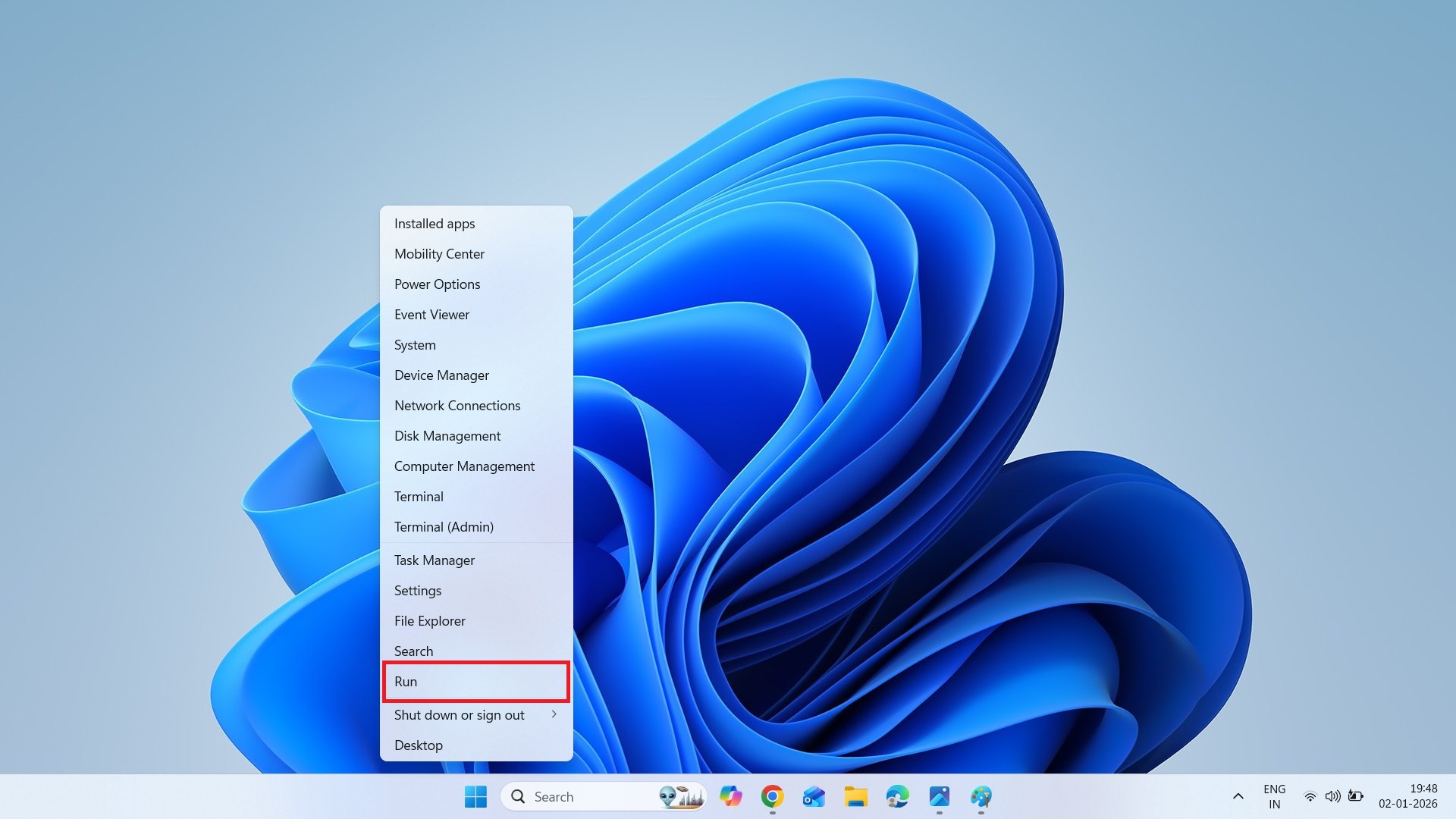
1. At first Right click on windows Start Icon
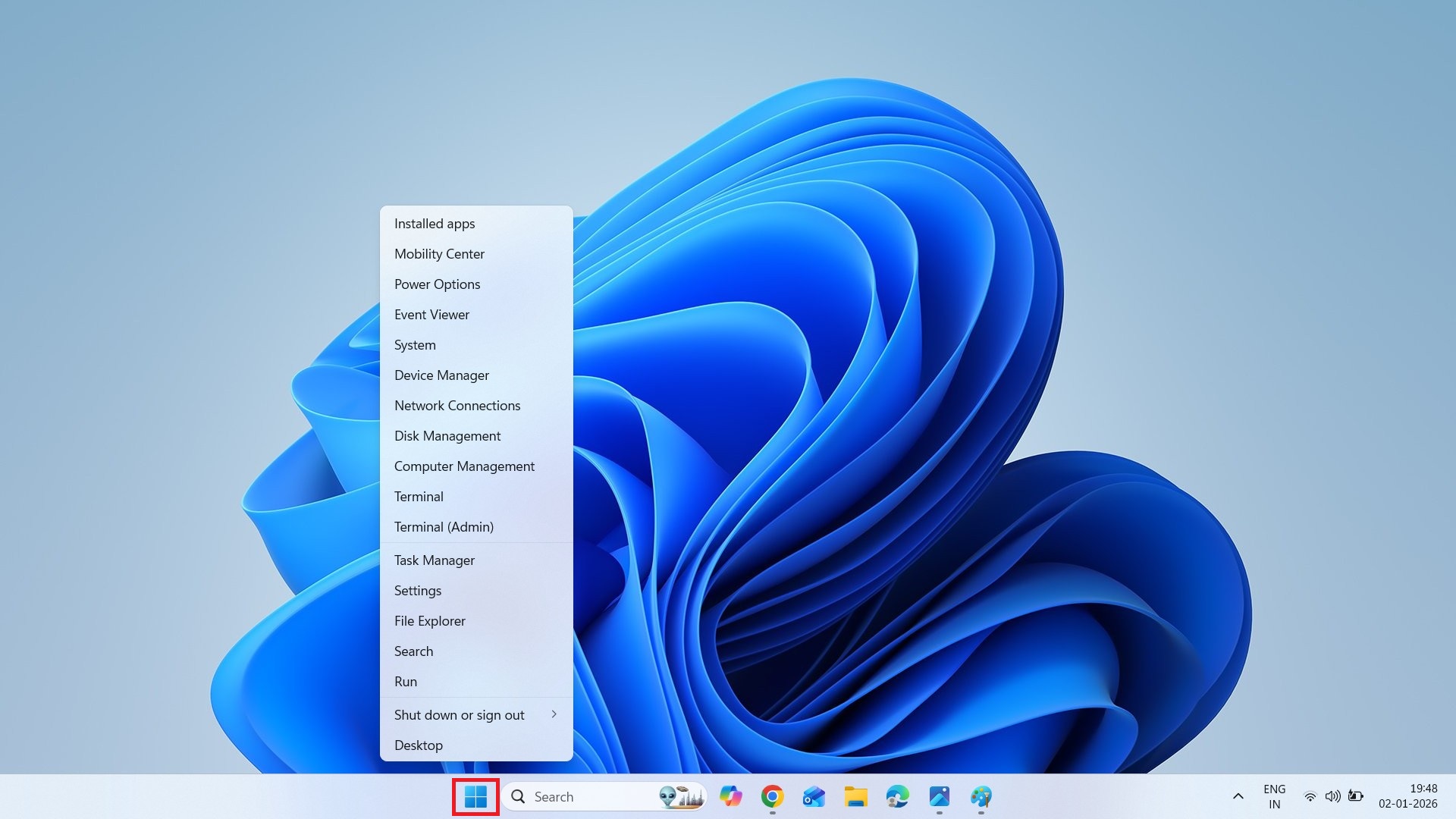
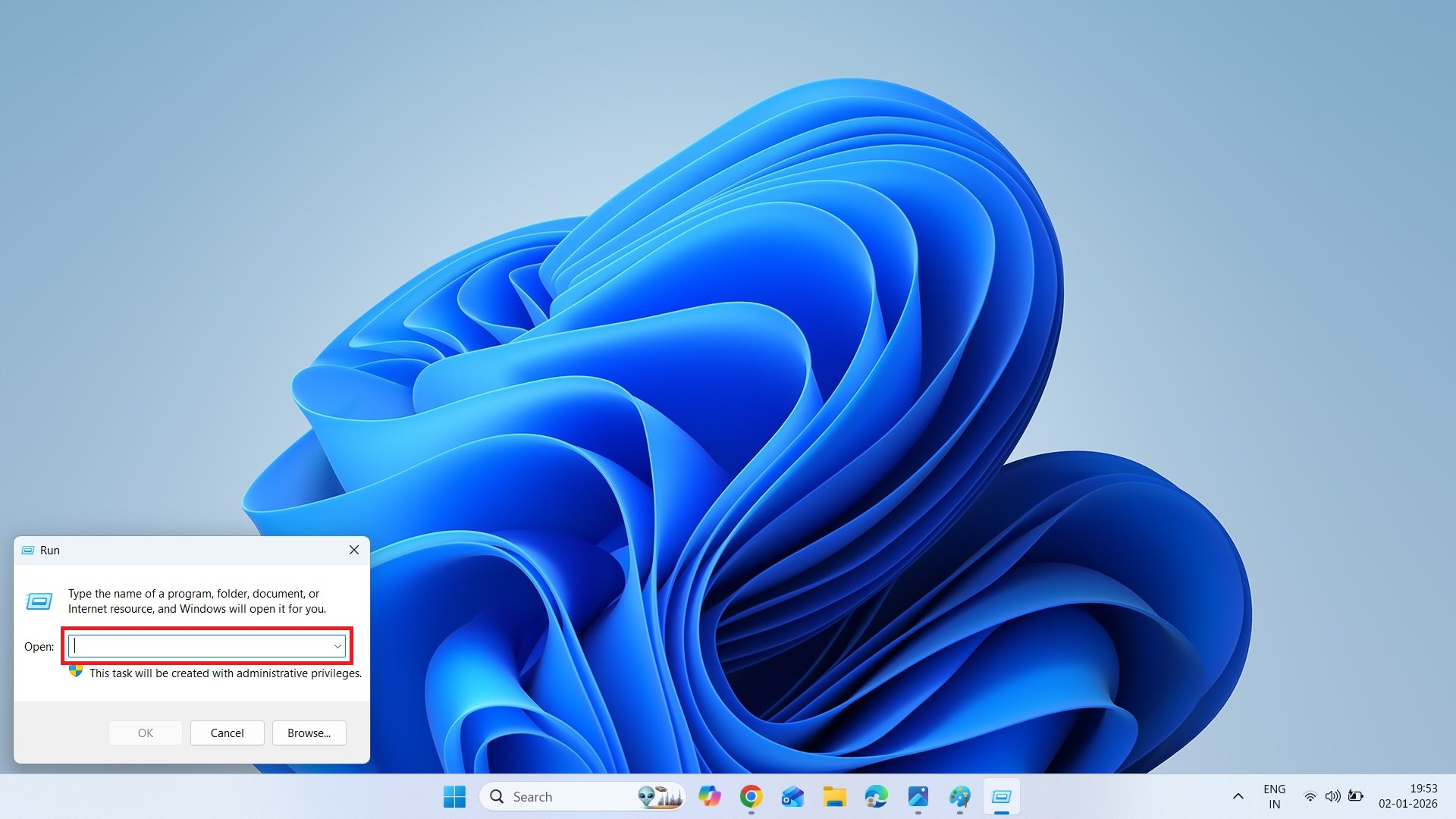
2. Then Click on Run option
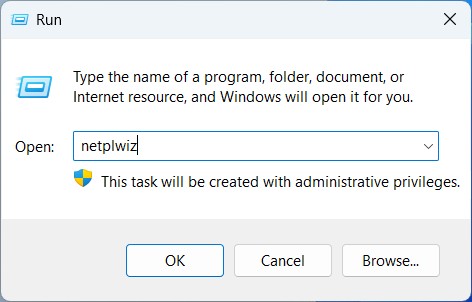
3. After clicking on the Run option, you will have to type netplwiz in the open box.
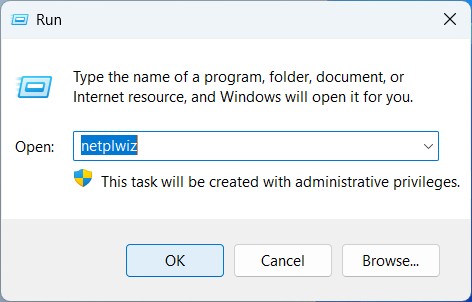
4. Thin click on OK button.
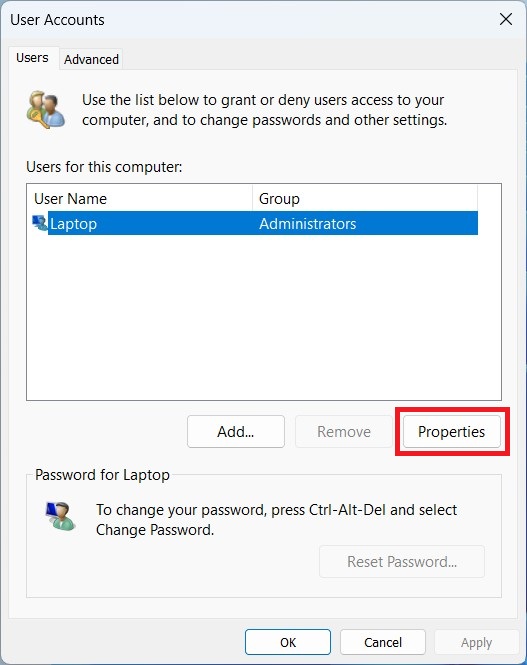
5. After clicking the OK button, a page like this will appear in front of you. Then Click on the Properties button.
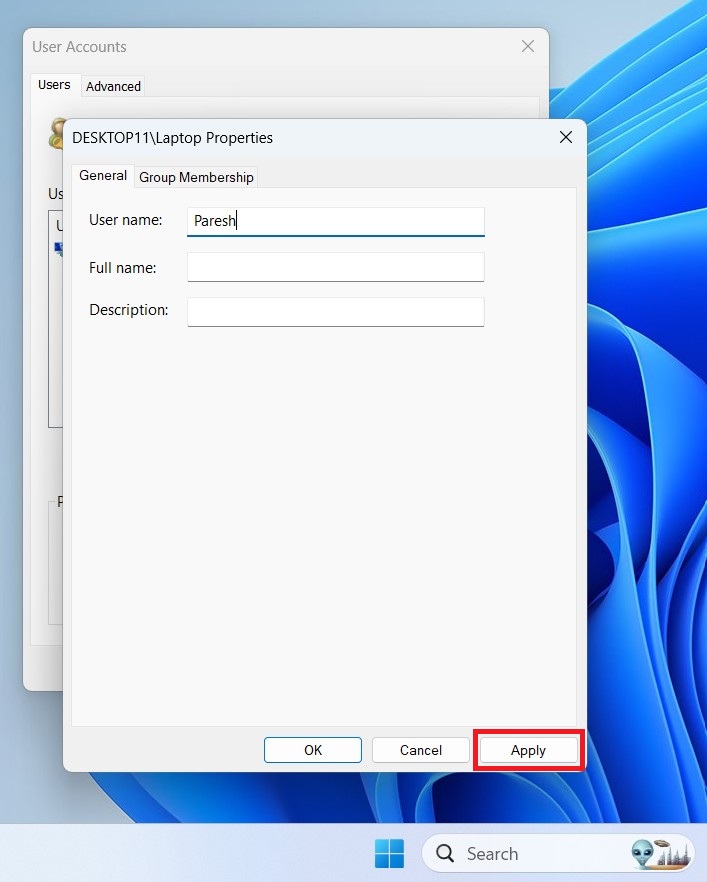
6. After clicking, a box like this will appear in front of you.
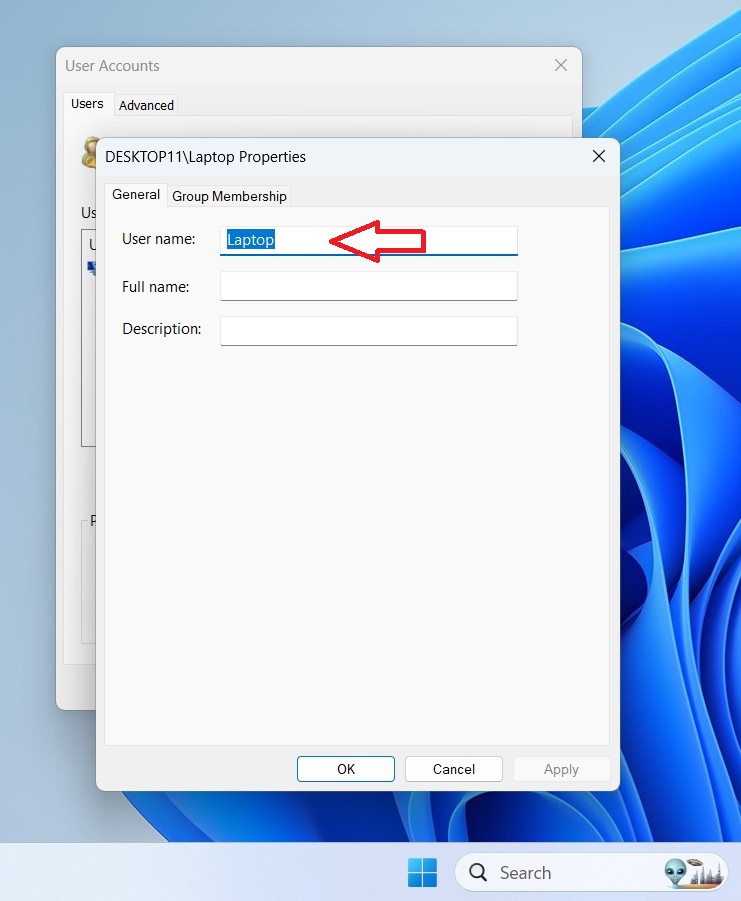 7. Now you can go to the user name box and change or edit the computer username. After doing that, click Apply and then OK.